Your lessons.
Their progress.
One app.

Teach, set work, mark and get paid in one app, so your students actually do the work between lessons.

  • Free for tutors, with unlimited students
  • Students get your lesson, a quiz and reminders
  • See every answer before the next lesson
  • Video lessons with live quizzes and a whiteboard
Free for tutors
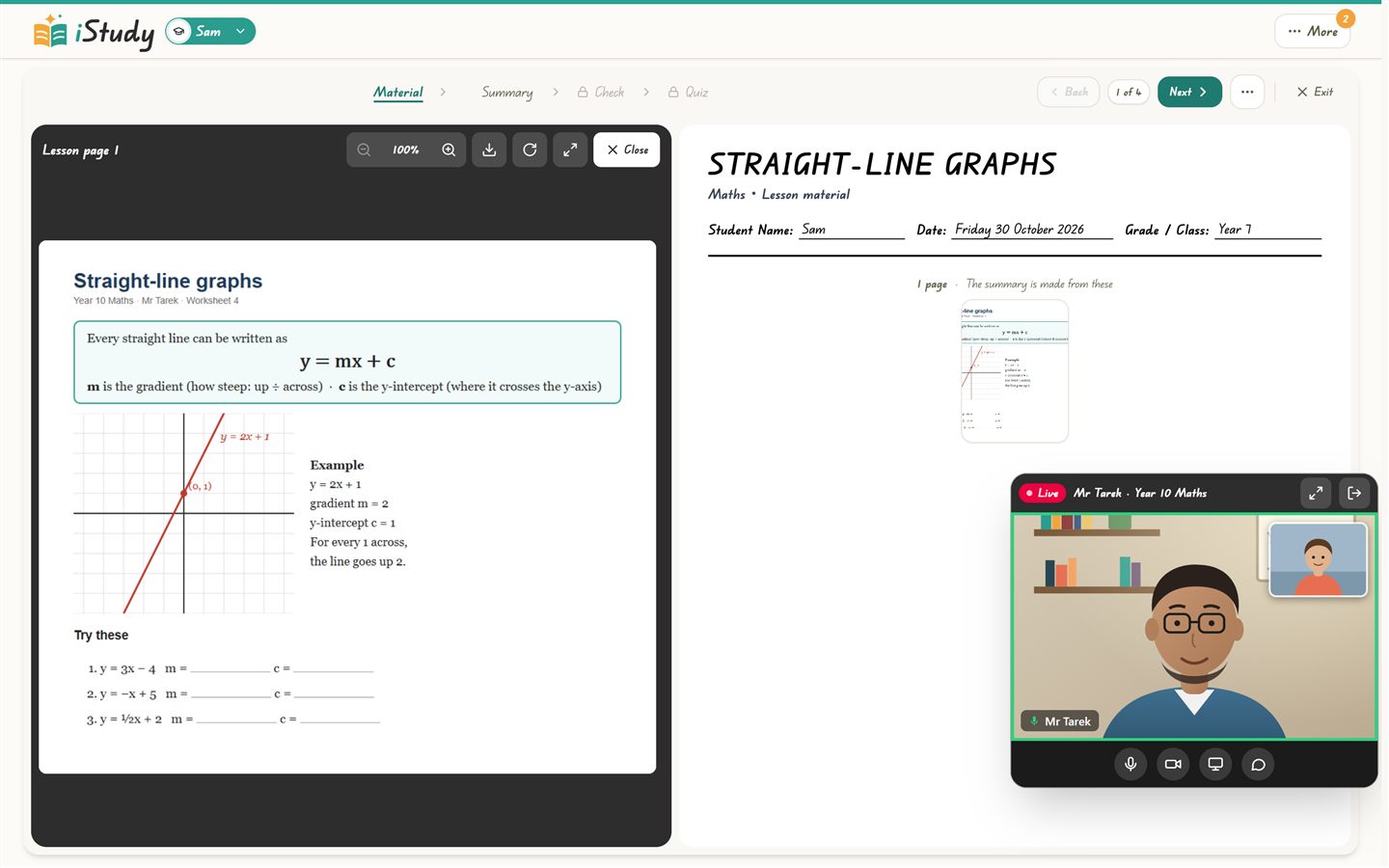
A lesson's worksheet open in iStudy, with the tutor's video call in a small window beside it
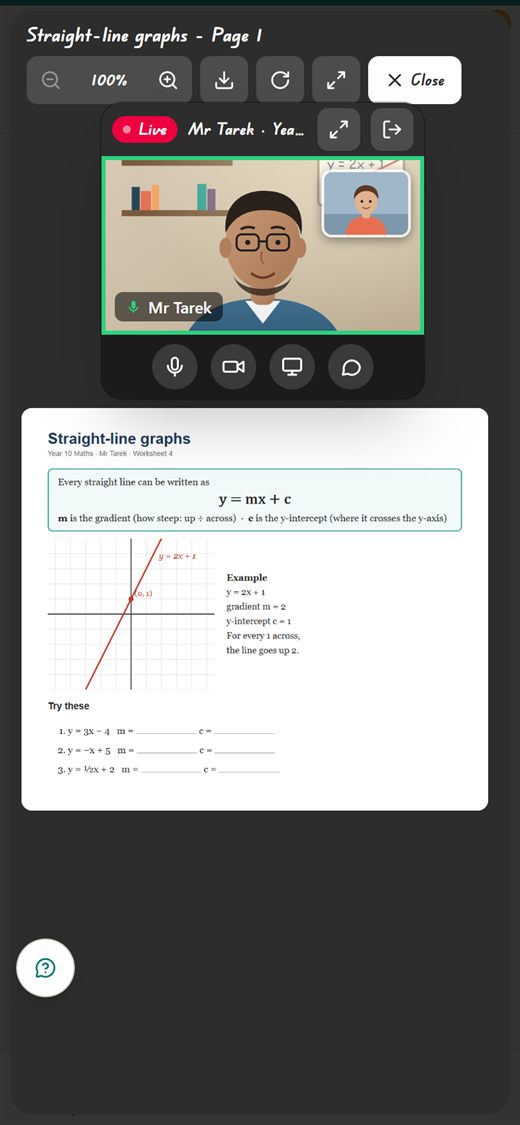
The same lesson and video call on a phone

The hour with you is great.
The week in between?

Forgotten

By next week, students have forgotten half the lesson, and the worksheet is lost somewhere in WhatsApp.

Unseen

You only find out who's stuck when the next lesson starts, and the first 15 minutes go on catching up.

Chased

Homework, reminders and payments, all chased by message, on top of the teaching.

Between lessons

Add a lesson once. Every student gets it.

Upload your worksheet and it lands on each student's own timetable, with a quiz made from it (or your own), a Knowledge Check and reminders.

  • An AI tutor helps at the level you choose for each lesson: no AI, hints only, or full help
  • Set homework; students hand in photos or PDFs and you mark them, and parents are told
  • Coloured circles show who has done what, at a glance
  • One calendar for all your groups, and payments with one-tap reminders
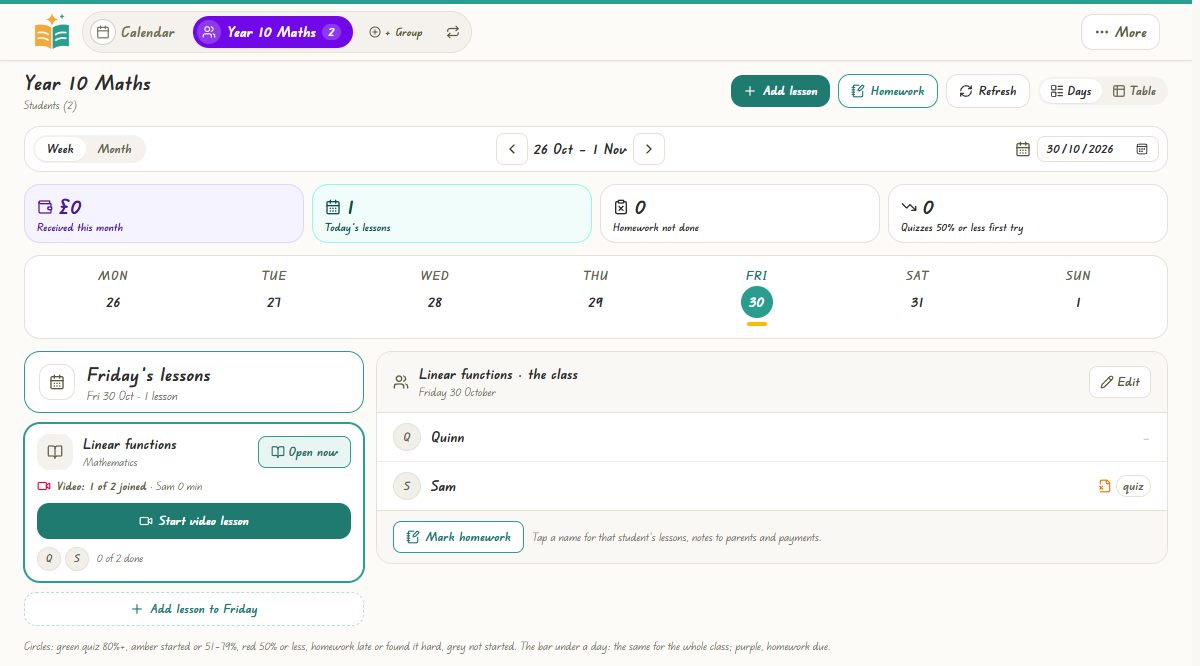
A tutor's class page: today's lesson, each student's progress and the Start video lesson button
Before the next lesson

See every answer. Write on it.

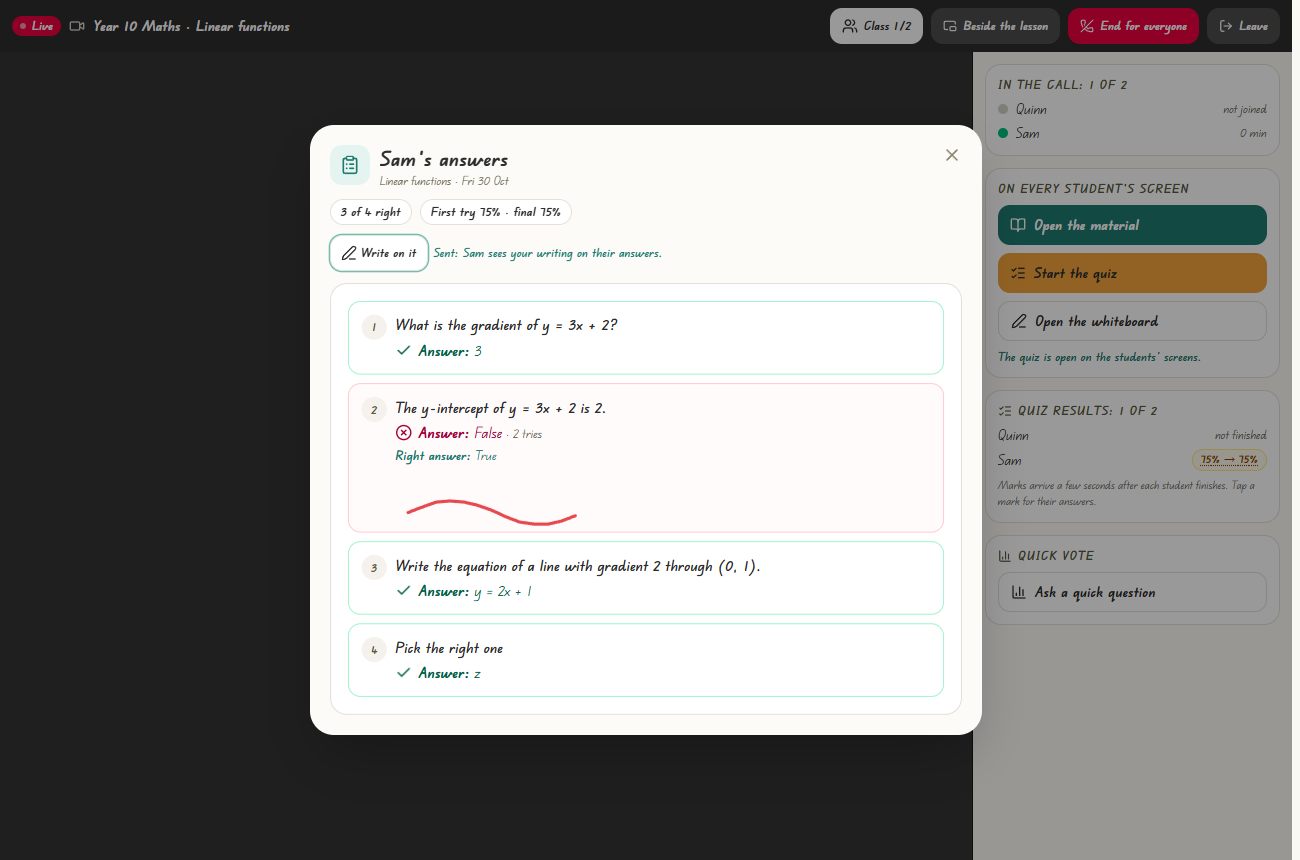
Tap a student's quiz mark to see each question, their answer, the right answer and how many tries it took. Then pick up the pen.

  • Write corrections by hand on their answer sheet, and send it
  • The student sees your writing on the same lines, on their phone or laptop
  • Marks arrive by themselves a few seconds after they finish
A student's quiz answers, with the tutor's handwriting under a wrong answer
During the lesson

Video lessons that are part of the lesson.

Start the call from today's lesson. Your students tap Join live; no Zoom links to send.

  • Open the material or start the quiz on every student's screen at once
  • Quick votes with live results, and a shared whiteboard
  • The call sits beside the lesson, so nobody leaves it to look at the worksheet
  • Who joined and for how long, recorded for you
  • Private rooms for your group only, and nothing is recorded
The video call in a small window beside the lesson's worksheet

Why not just Zoom and WhatsApp?

iStudyZoom + WhatsApp + a spreadsheetTutor admin apps
Video lessonsBuilt in, with the lessonYesZoom links
Students get the lesson, a quiz and remindersYesNoFiles only
See every answer before the next lessonYes, and write on itNoNo
An AI tutor you controlYesNoNo
Homework handed in and markedYesBy messageSome
Payments and reminders to parentsYesSpreadsheetYes
Cost to the tutorFreeZoom feeFrom about £13 a month

Join the tutor beta.

I'm looking for 15 private tutors to use iStudy this term and tell me what to make better. I'll set you up myself.

What you get

  • iStudy free, always, with unlimited students (and half price for life on Pro as a founding tutor)
  • The full AI tutor free for 30 days for every family who joins with your code
  • Setup with me in 10 minutes: your first group and lesson
  • £10 for each of your families who subscribes later

What I ask

  1. Use it for real lessons with one group
  2. Two 15-minute calls: after week 1 and week 3
  3. Honest answers about what to fix

Sign up for the beta

We use these details only to set you up and talk about the beta. Privacy policy.

Questions

Is it really free for tutors?

Yes. The free plan is free for always, with no limit on students or groups, and one-to-one video lessons are unlimited. An optional Pro plan adds more hours of group video; the first 50 tutors (founding tutors) get it half price for life. Families use iStudy free and can pay for the full AI tutor; families who join with your code get it free for 30 days, and you earn £10 for each family who subscribes.

Do I need Zoom?

No. Video lessons are built in: start one from today's lesson and your students tap Join live. Rooms are private to your group and nothing is recorded.

Where are my worksheets kept?

In your own Google Drive (or OneDrive if you sign in with Microsoft), in an iStudy folder. Families' work is kept in their own Drive.

Will the AI do my students' work for them?

Only if you let it. For each lesson you choose: no AI, hints only, or full help.

What do my students need?

A phone, tablet or computer with a web browser; nothing to install. Parents join your group with your invite code.

Can I use my own quiz?

Yes. Upload your quiz or worksheet and iStudy reads it, or let it make a quiz from your lesson material. You can check and change every question.